AstroPaper
satnaing/astro-paper ↗ ·★ 3.3k ·Astro ·MIT
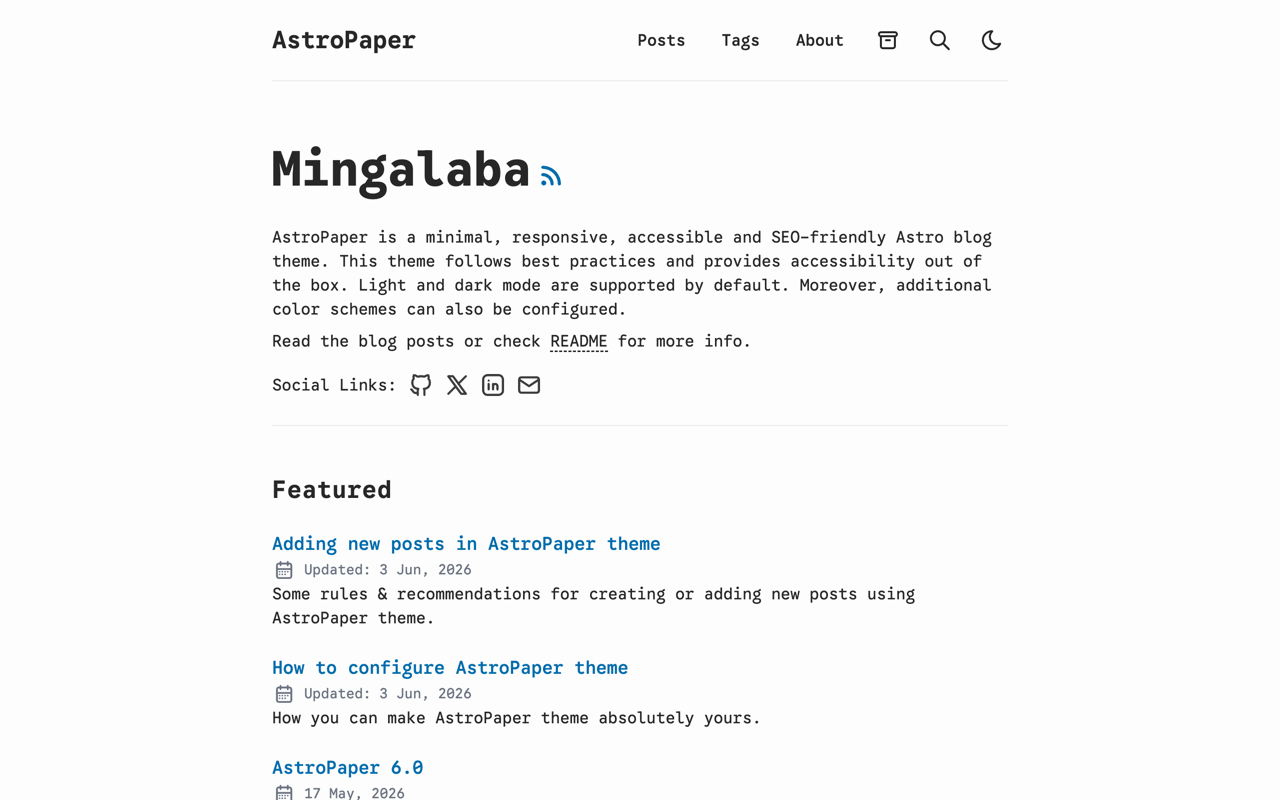
A minimal, responsive, accessible and SEO-friendly Astro blog theme. Fully static output that deploys cleanly to any static host on a free tier.
Overview
AstroPaper is a minimal, content-first blog theme built on Astro. It renders to fully static HTML with no server runtime, which makes it one of the cleanest ways to put a fast, professional blog online for free. Because the output is just files, it deploys identically to Cloudflare Pages, Vercel or Netlify — pick whichever free tier you prefer and there is nothing to keep warm or scale.
The theme is opinionated about the things that matter for a blog: readable typography, a tuned light/dark palette, accessible markup, and SEO that works without configuration. Sitemap, RSS, canonical tags and social share images are all generated at build time. A built-in fuzzy search lets readers jump across posts and tags without any external service.
Day to day you work entirely in Markdown. Posts live in src/content/blog, site settings live in src/config.ts, and the build step turns it all into a dist/ folder you can host anywhere. Free-tier limits are generous for a blog — check each platform’s current bandwidth allowance, but for most personal sites you will never come close.
Highlights
- ✓ Pure static output — no server runtime, so it fits any free static host
- ✓ Built-in SEO: sitemap, RSS, Open Graph images and schema out of the box
- ✓ Accessibility-first markup with light/dark mode and keyboard navigation
- ✓ Fuzzy search across posts, tags and a typography-tuned reading layout
Best for
- →Personal blogs and developer changelogs
- →Writers who want fast, zero-cost hosting
- →Anyone who prefers Markdown over a CMS
Getting started
- 1 Click "Use this template" on GitHub (or run npm create astro@latest -- --template satnaing/astro-paper)
- 2 Edit src/config.ts and the Markdown files in src/content/blog to make it yours
- 3 Run npm install && npm run dev to preview locally
- 4 Connect the repo to Cloudflare Pages, Vercel or Netlify and set the build command to npm run build (output dir: dist)
FAQ
No. AstroPaper compiles to plain HTML, CSS and JS, so a static host's free tier is all you need — there is nothing to keep running.
Drop a Markdown or MDX file into src/content/blog with the required frontmatter (title, pubDatetime, tags). It appears automatically on the next build.
Yes — it ships a sitemap, RSS feed, canonical URLs and auto-generated Open Graph images, which is why it scores well on Lighthouse out of the box.
Deploy AstroPaper for free
Free-tier platforms that can host this project. Pick one and ship it.